| 1. dormakaba |
                If you can't find the information you are looking for here, please contact dormakaba UK Customer Support |
| 1.1. Remote Support Conection |
| 1.2. dormakaba Remote Access |
| 1.3. How to update a support Call | |||||
|
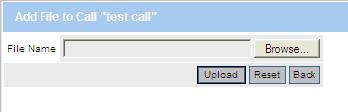
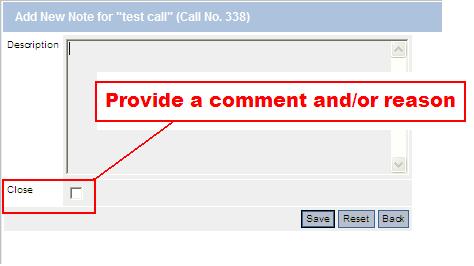
How to Update a Call Updating a Call by End Users (Customers) involves either attaching a file, or adding a description to the call. Note: If you are a Master Account User, the update functionality will be available for all Contacts within your account. |

| 1.4. How to Log a Support Call |
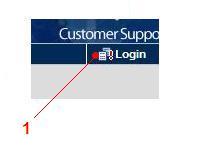
To Log your own support call onto the Kaba UK support system
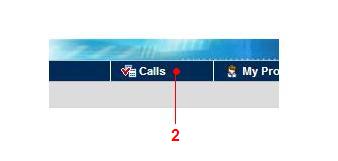
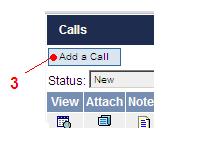
2. Click the 'Calls' button 3. Click 'Add a Call'
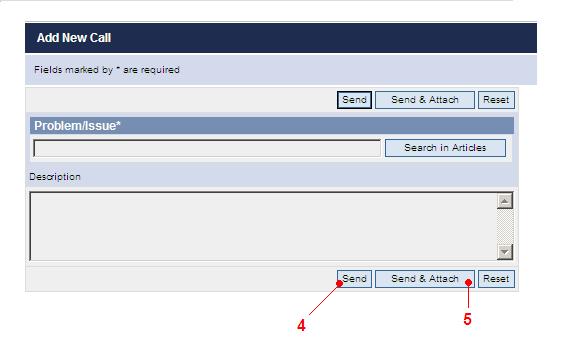
4. Click the 'Send' button to log the call into the system 5. Click the 'Send & Attach' button if you wish to include an attachment with your call After logging a call you will receive an Email containing full details of your call.
If you can't find the information you are looking for here, please contact KABA UK Customer Support |
| 1.5. Document Viewers |
To install just click on the required link
|


